Create a Tournament
Sportzdom lets users create tournaments for different sports, formats, locations, age groups, and categories. The tournament creation flow guides the user through basic details, schedule setup, registration settings, officials, rules, and final review.
Who Can Create a Tournament?
Any user with access to the tournament creation feature in the Sportzdom app can create a tournament.
Some fields or actions may depend on app permissions, organizer verification, or plan-based access.
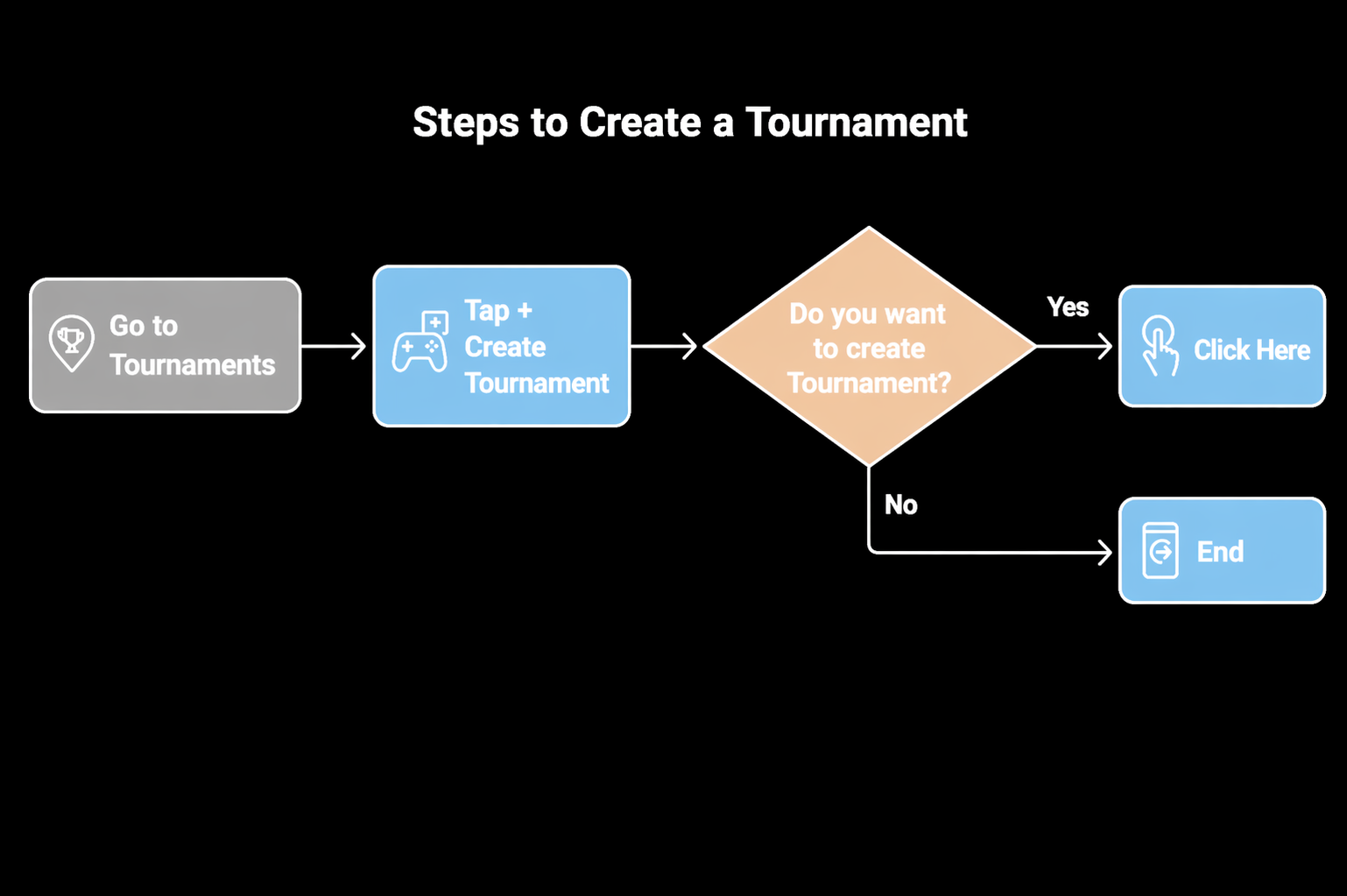
Open Create Tournament
- Go to Tournaments.
- Tap Create Tournament.
- Confirm that you want to create a tournament.
- The app opens the tournament creation flow.
Tournament Creation Flow
The tournament creation flow is organized into these sections:
Basic > Schedule > Registration > Officials > Rules > Summary > Publish
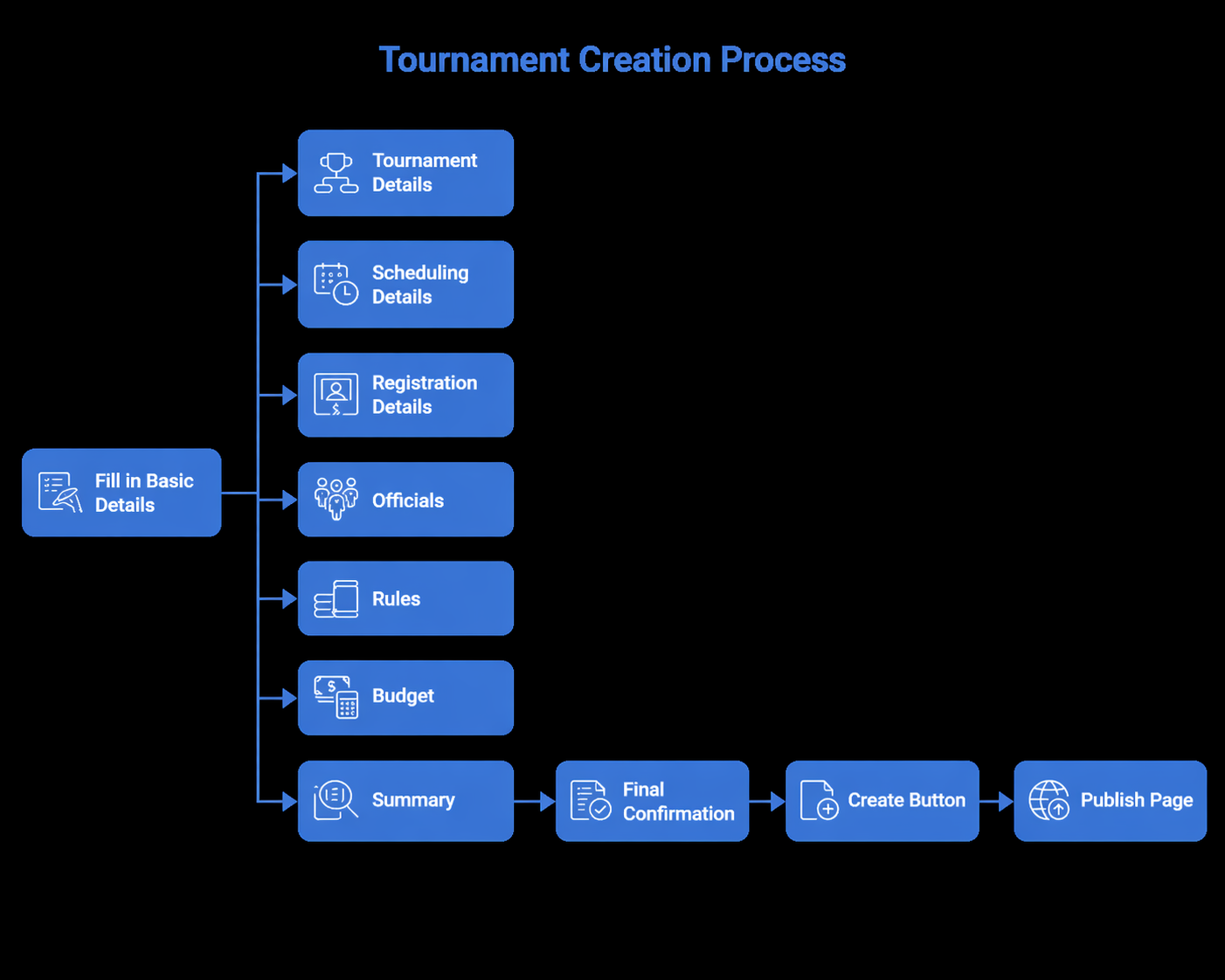
Each section collects a specific set of tournament details before the tournament is created.
Basic Details
Enter the main tournament information:
| Field | Description |
|---|---|
| Tournament Name | Enter the tournament name. |
| Sport Name | Select the sport for the tournament. |
| Tournament Type | Choose a format such as Knockout or League. |
| Match Type | Select Singles or Doubles when applicable. |
| Age Group | Select the age category. |
| Category | Select Male, Female, or Mixed. |
| State | Select the tournament state. |
| City | Select the tournament city. |
| Area | Select the local area. |
| First Prize Amount | Enter the first prize amount. |
| Second Prize Amount | Enter the second prize amount. |
| Registration Type | Choose Open or Invite-only registration. |
| Visibility | Choose Public or Private visibility. |
Scheduling Details
Set the tournament schedule and match planning details:
| Field | Description |
|---|---|
| Tournament Start Date | Select the tournament start date. |
| Tournament End Date | Select the tournament end date. |
| Tournament Schedule | Choose Daily, Weekend, or Weekdays. |
| Match Minutes | Enter the duration of each match. |
| Team Size | Enter the number of players per team. |
| Expected Teams | Enter the expected number of teams. |
| Total Matches | Auto-calculated based on tournament format and teams. |
| Ground Open Time | Set when the ground opens. |
| Ground Close Time | Set when the ground closes. |
| Number of Referees | Enter the required referee count. |
| Number of Scorers | Enter the required scorer count. |
| Grounds Count | Enter the number of available grounds. |
| Matches Per Day | Enter the planned number of matches per day. |
Registration Details
Configure participant registration:
| Field | Description |
|---|---|
| Registration Start | Select when registration opens. |
| Registration End | Select when registration closes. |
| Registration Fee | Enter the registration fee, if applicable. |
Registration can be open to eligible users or invite-only, depending on the selected registration type.
Officials and Resources
Add the people and resources needed to run the tournament:
| Item | Description |
|---|---|
| Organizers | Add users who can help manage the tournament. |
| Sponsors | Add sponsors connected to the tournament. |
| Referees | Add referees for match decisions. |
| Scorers | Add scorers for score entry and match updates. |
| Commentators | Coming Soon. |
| Photographers | Coming Soon. |
| Grounds | Add grounds or venues for scheduled matches. |
Officials can be assigned or updated later if the tournament workflow allows it.
Rules
Configure tournament rules:
| Rule Type | Description |
|---|---|
| Custom Rules | Add tournament-specific rules. |
| Inbuilt Rules | Select predefined rules from the app. |
| Rule Selection | Choose the rules that apply to this tournament. |
Rules may include sport-specific scoring, match duration, player limits, reserves, officials, and result approval.
Budget
Budget features are marked as Coming Soon and may include:
- Budget setup.
- Expense tracking.
- Fund allocations.
Summary and Confirmation
Before creating the tournament:
- Review all tournament details.
- Edit any incorrect information.
- Confirm the details are correct.
- Tap Create or Create Tournament.
After creation, the app redirects to the tournament publish page or tournament details page, based on the app workflow.
Publish Tournament
When the tournament is ready:
- Review the tournament setup.
- Publish the tournament.
- Share the tournament link with players, teams, officials, and spectators.
Publishing makes the tournament visible based on the selected visibility setting.
What Happens Next?
After creating or publishing a tournament:
- Players or teams can join or be invited.
- Matches and fixtures can be generated.
- Scores can be entered and approved.
- Winners can be calculated based on the format.
- Stats, awards, and badges may be updated.
Best Practices
- Add officials early to avoid match delays.
- Confirm teams and players before generating fixtures.
- Review dates, venues, and match duration before publishing.
- Add clear rules so participants understand the tournament format.
- Monitor progress from the tournament dashboard after publishing.
Need Help?
For help creating tournaments, contact support@sportzdom.com.