Tournament Fixtures
Fixtures define the matches that will be played in a tournament. In Sportzdom, organizers can create fixtures manually, while automatic fixture generation is planned as a future feature.
Fixture Creation Methods
Sportzdom supports or plans to support the following fixture creation methods:
| Method | Status | Description |
|---|---|---|
| Manual | Available | Organizers create fixtures by selecting teams, match timing, venue, and officials. |
| Auto | Coming Soon | The system generates fixtures automatically based on tournament teams, format, and rules. |
Manual Fixture Creation
Use manual fixture creation when you want to control each match setup directly.
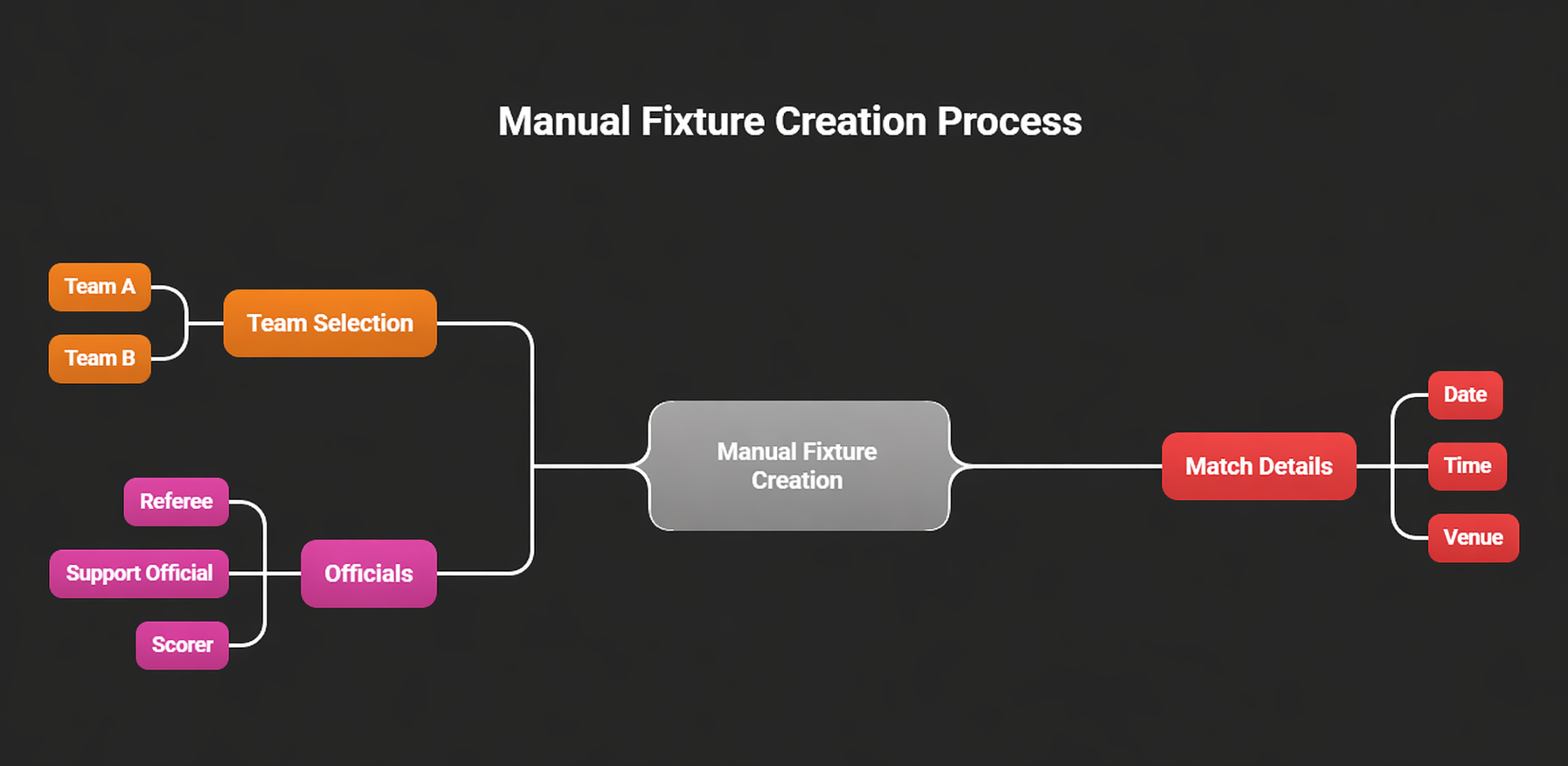
How Manual Fixtures Work
- Select the teams for the match.
- Assign the match date and time.
- Choose the venue or location.
- Select the referee for the match.
- Select the support official, if required.
- Assign a scorer to record match details.
- Save or create the fixture.
Manual fixture creation is useful when organizers need full control over match order, ground availability, official assignments, or schedule changes.
Auto Fixture Creation
Auto fixture creation is marked as Coming Soon.
When available, the system is expected to generate fixtures based on:
| Input | Purpose |
|---|---|
| Participating Teams | Determines which teams should be included in the fixture list. |
| Tournament Format | Uses formats such as League or Knockout to generate matches. |
| Tournament Rules | Applies match rules, scheduling rules, and format rules. |
| Schedule Details | Uses dates, ground timings, match duration, and matches per day. |
| Officials | Allows referees and scorers to be assigned during or after generation. |
Before Creating Fixtures
Before creating fixtures, make sure:
- All required teams or players are added to the tournament.
- Tournament format and rules are selected.
- Grounds or venues are available.
- Match date, time, and duration are confirmed.
- Referees and scorers are available for assignment.
After Fixtures Are Created
After fixtures are created:
- Matches appear in the tournament schedule.
- Teams can view upcoming matches.
- Officials can be assigned or notified based on the workflow.
- Scorers can prepare for score entry.
- Organizers can monitor match progress from the tournament dashboard.
Notes
- Assigning a referee and scorer helps ensure smooth match operations.
- Fixture changes may be limited after publishing or once matches have started.
- Review the fixture list carefully before sharing it with teams and officials.
Need Help?
For help creating tournament fixtures, contact support@sportzdom.com.